Search for Users or Devices of Users
You can search for a user in the Manage Users page.
|
1.
|
Open the Manage Users page (Setup > Users & Devices > Manage Users). |
|
2.
|
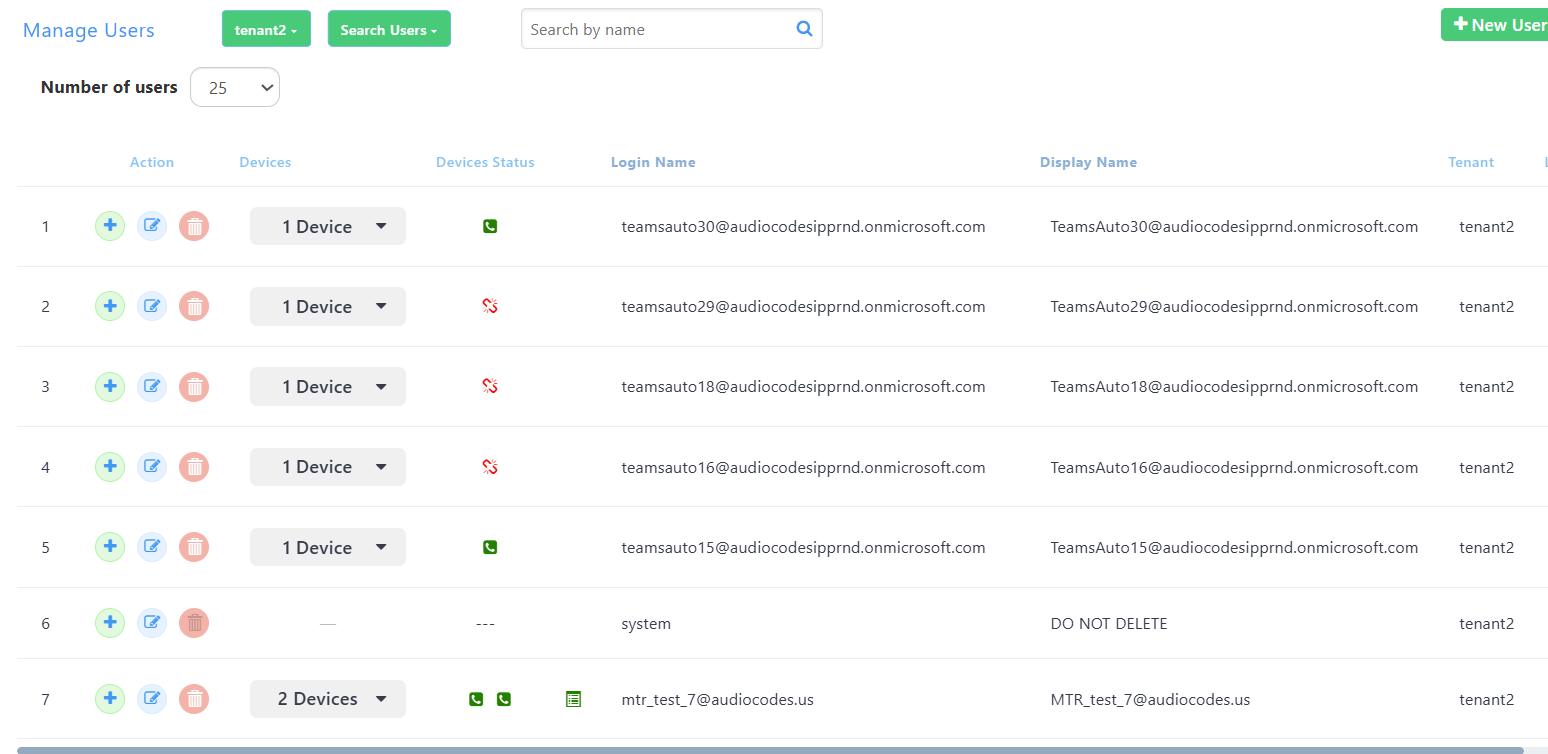
From the Service Provider drop-down, select a service provider in which to search ("tenant2" in the above screenshot). |
|
3.
|
From the 'Number of users' drop-down, select the number of users you want displayed per page. The default is 25.
|
|
4.
|
From the 'Search Users' drop-down, select Search Users (default) or Search Users and Devices. |
|
●
|
[If you select Search Users] In the 'Search by name' field, enter the name of the user you're trying to locate. |
|
●
|
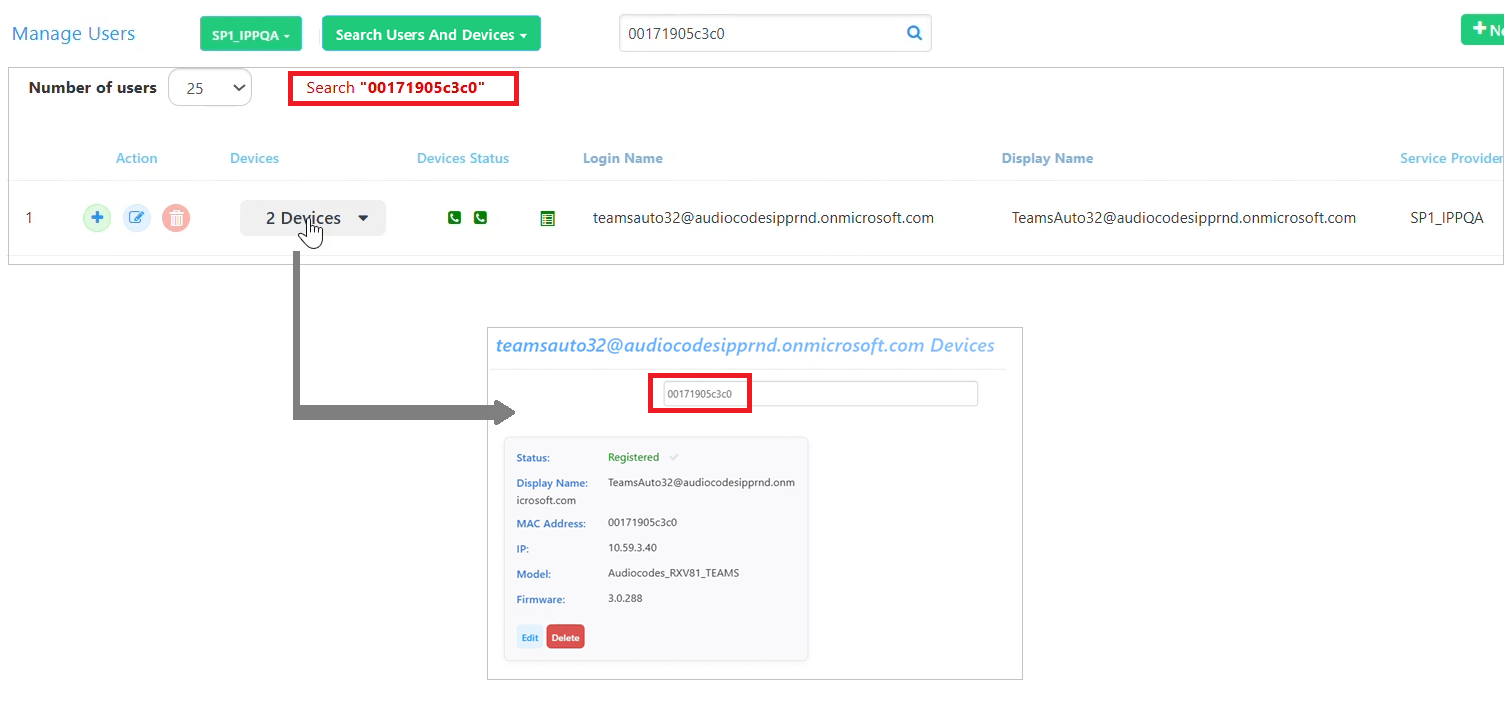
[If you select Search Users and Devices] In the 'Search by name and device' field, enter the name of the user you're trying to locate or the MAC address of the device you're trying to locate. |
Note: When you search for a MAC address of a device belonging to a user with multiple devices, the row of that user will be displayed, indicating the total number of devices the user has. However, if you click the 'Devices' link in the row, only the details of the searched device will be displayed, not of all devices.